64 Labs Dashboard
Your Apps Don’t Need Another Dashboard. They Need a Memory.
How the 64 Labs command center finds the highest-value unfinished work across your portfolio—and helps you continue before momentum disappears.
The technology conversation in 2026 is largely about doing more.
More specialized apps. More automations. More agents capable of handling increasingly complex work.
Microsoft’s May 2026 Work Trend Index reported that active agents in its Microsoft 365 ecosystem had grown fifteenfold year over year. But the report’s more useful conclusion was that additional capability does not automatically become additional value. The systems surrounding the work must be designed to capture it. An earlier Microsoft study also found that, among the 20% of users receiving the most digital pings, interruptions arrived every two minutes during core working hours.
Those studies examine large workplaces, not 64 Labs users. But the product-design lesson travels well:
When attention is already fragmented, software should not make remembering your work another task.
That is especially important when you are moving across a portfolio of apps.
The hidden restart between apps
A focused app can be simple.
You open it for a particular purpose, complete the relevant work and move on. That focus is one of the advantages of the 64 Labs portfolio: each product can concentrate on its own users, workflows and outcomes without becoming a bloated system that attempts to do everything.
The difficulty begins between the apps.
You finish working in one product and open another. Before doing anything useful, you have to reconstruct your position:
What was already started?
Which Campaign was still moving?
Was there a Process waiting to be completed?
Did you leave something unfinished intentionally, or did another app simply demand your attention?
What should happen next?
Nothing has technically been lost. The records still exist. The Campaign is still there. The Process has not disappeared.
But the momentum around that work has weakened.
This is a different kind of loss. It is not data loss. It is continuity loss.
The longer the gap between sessions, the more effort it takes to recover the decisions, assumptions and direction that made the work feel obvious when you left it. Eventually, starting something new can feel easier than returning to something important.
That is how portfolios accumulate half-finished work.
A dashboard should answer a question
Many dashboards are designed to show as much as possible.
They provide cards, counts, activity feeds, percentages, status labels and lists of everything requiring attention. That information may be accurate, but it still leaves the user with the hardest part:
Deciding what to do.
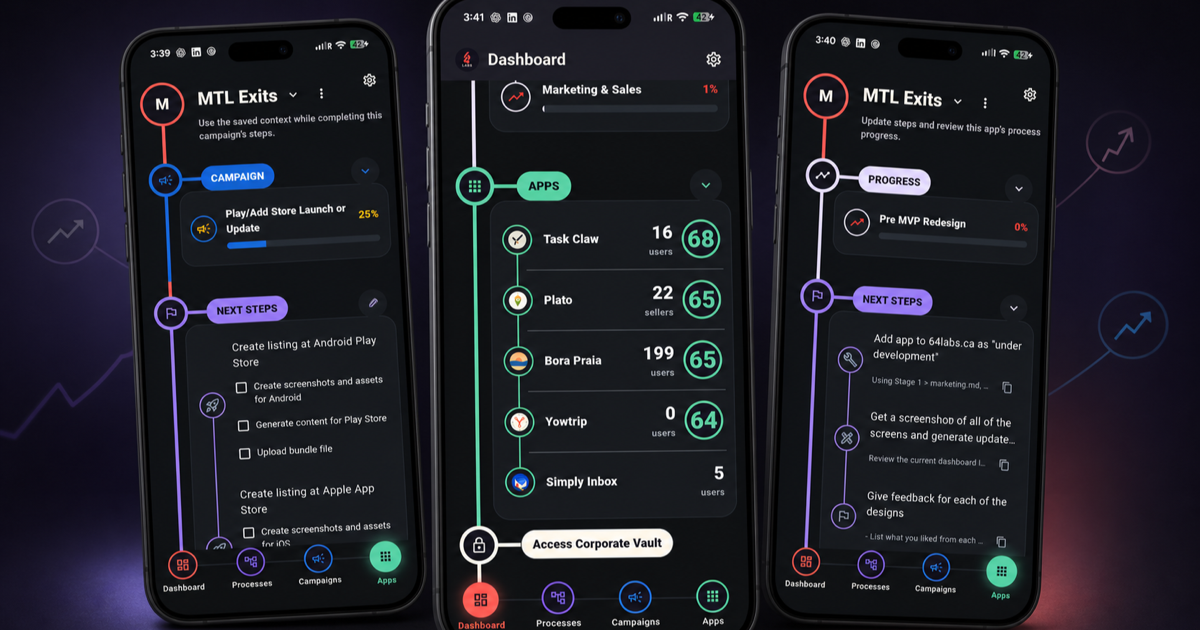
The 64 Labs Dashboard takes a more opinionated approach.
Its In Progress area is designed to answer one practical question:
What is the most valuable unfinished action I can continue right now?
Instead of presenting every possible destination equally, the command center selects a next action from across the portfolio.
The goal is not to make every decision for the user. It is to eliminate the repetitive decision that appears whenever someone returns to the command center with several valid pieces of work competing for attention.
The Dashboard remembers what is already moving and gives that work a path back to the surface.
How the next action is selected
The recommendation follows a deliberate and predictable order:
- A started but unfinished Process
- A started but unfinished Campaign
- A Campaign that has not yet been started
- A Process that has not yet been started
The first principle is simple: continuation comes before initiation.
When work has already started, it contains more than a status. It contains context. Choices have been made. Direction has been established. Someone has already invested the effort required to move it out of the abstract and into execution.
The Dashboard protects that investment by surfacing unfinished work before suggesting something entirely new.
Among work already in motion, an unfinished Process is selected first. If there is no eligible Process, the Dashboard looks for a started Campaign. Only when nothing started remains available does it recommend beginning something new—first a Campaign, then a Process.
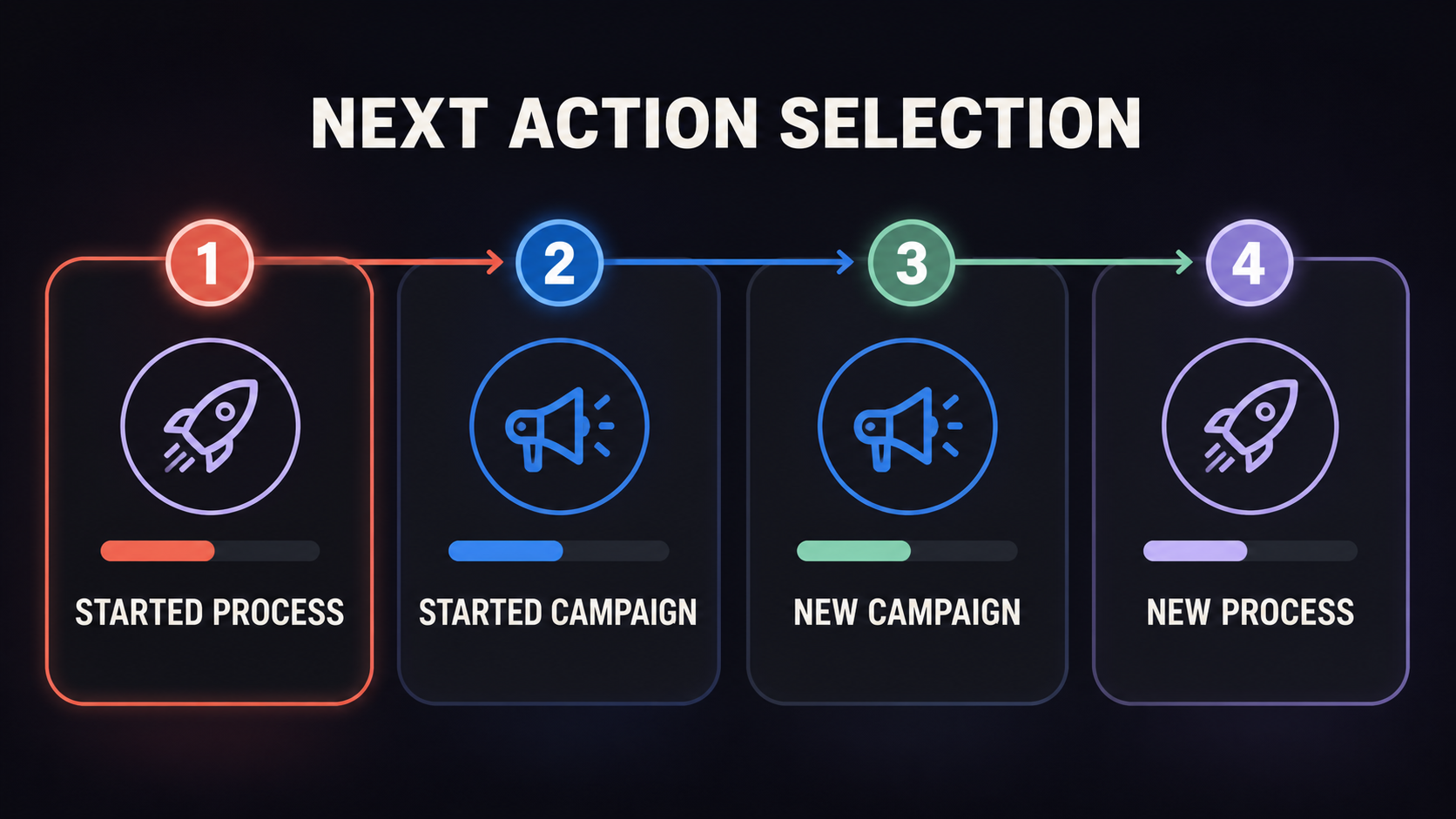
The resulting sequence is easy to understand:
Continue the active Process. Continue the active Campaign. Start the next Campaign. Then start the next Process.
This does not mean that every Process is inherently more important than every Campaign. It is a consistent default used to resolve competing options across multiple apps.
That consistency matters.
A next-action system becomes useful when people can trust it. Users should not have to reverse-engineer why a different card appeared each time they opened the Dashboard. The rule needs to be stable enough that the recommendation feels intentional rather than arbitrary.
Portfolio-wide direction without losing the current app
The command center operates across apps, but each individual app still needs to remember its own current work.
This creates two layers of continuity.
The Dashboard provides portfolio-wide continuity. It looks across the available apps and determines which Process or Campaign should be surfaced as the overall next action.
Each app provides local continuity. Here, “local” means within that particular app: when you return to it, the app retains the relevant current item instead of forcing you to begin its workflow again.
The two layers solve different problems.
The Dashboard answers:
Across everything I could work on, where should I go next?
The app answers:
Now that I am here, where did I leave off?
Consider a simple example. You stop halfway through a Process in one app. Later, you begin a Campaign in another. Both are now started and unfinished.
When you return to the command center, the Dashboard surfaces the unfinished Process first because it is higher in the selection order. But the second app does not forget its Campaign. Open that app directly and its own current work remains available.
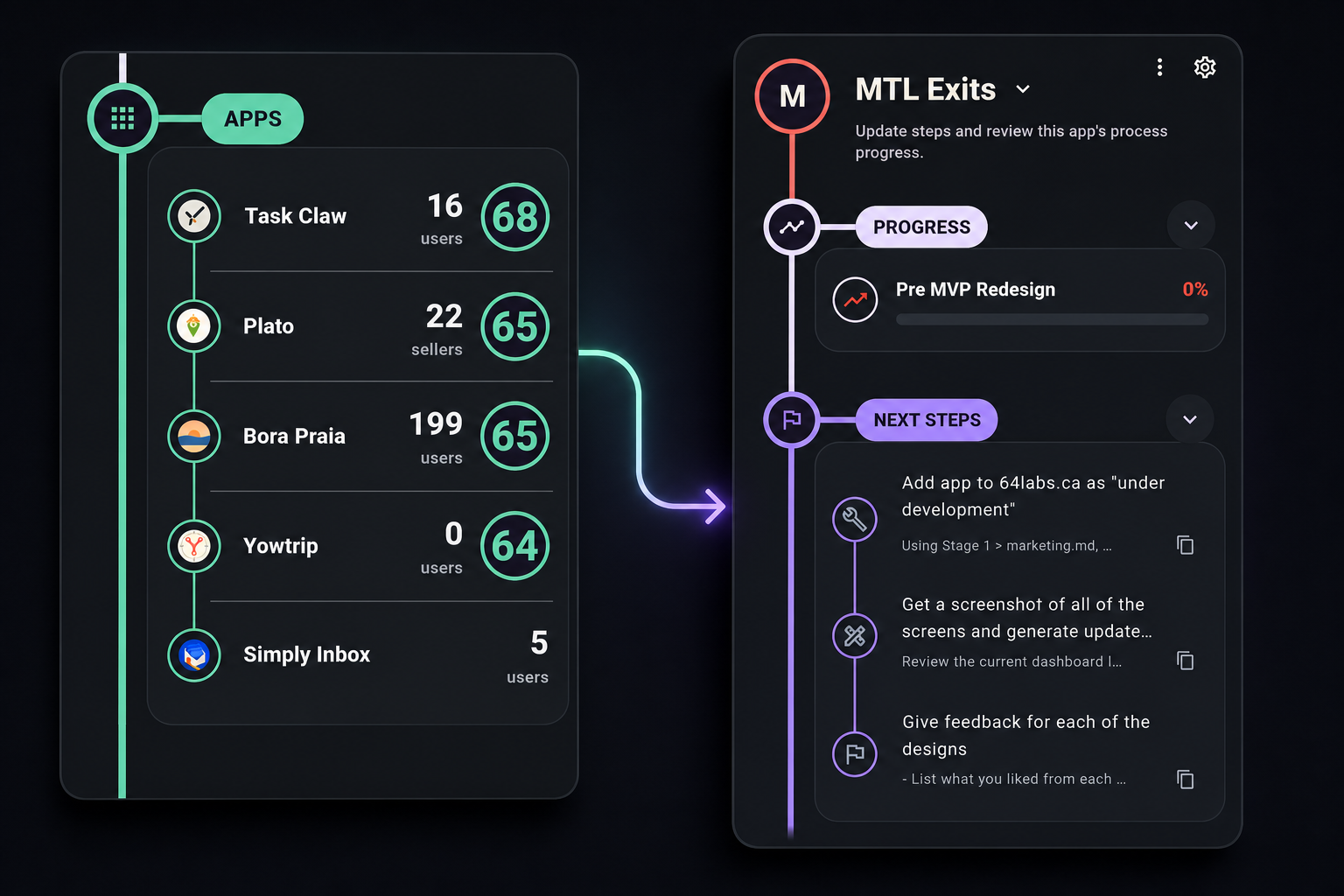
The global recommendation coordinates the portfolio. The local state preserves the app.
The command center does not replace each app’s memory. It connects those memories into a more continuous working experience.
Why one next action can be more useful than a complete overview
There will always be value in seeing the broader state of a portfolio. Sometimes you need to review every product, compare progress or deliberately change direction.
But that is not what every visit to a Dashboard is for.
Often, the user is not conducting a portfolio review. They are returning to work.
In that moment, a complete overview can become another obstacle. It creates more scanning, more comparison and more opportunities to be distracted by something newer or easier.
A strong In Progress action shortens the path between opening the command center and doing meaningful work.
There is less time spent searching through apps.
Less time spent remembering which item was active.
Less temptation to create another Process merely because the existing one is temporarily out of sight.
Less unfinished work becoming permanently abandoned.
Most importantly, the highest-value work already in motion can continue while its context is still recoverable.
From app launcher to continuity layer
Without this behavior, a command center risks becoming an app launcher: a polished screen that helps users choose where to go but does little to help them decide why.
The 64 Labs command center is moving toward something more useful.
It acts as a continuity layer across the portfolio.
As the number of apps grows, the number of possible open loops grows with it. Each product can have its own unfinished Campaigns, active Processes and next steps. Expecting the user to remember all of them defeats part of the purpose of having a central operating system.
The system should carry more of that burden.
It should know what has started.
It should know what remains unfinished.
It should preserve the current position inside each app.
And when the user returns to the Dashboard, it should be prepared to make a clear recommendation.
The next important action is often “Continue”
Software naturally emphasizes creation.
Create a Campaign. Start a Process. Add a project. Launch something new.
Those actions feel productive because they are visible and immediate. But a portfolio does not create value merely by starting more work. Value appears when the right work advances far enough to produce an outcome.
That makes Continue one of the most important actions in the command center.
The Dashboard’s In Progress recommendation is a small feature with a larger purpose: preserve momentum across apps, reduce the work required to resume and bring the most valuable unfinished action back into view.
You should not have to remember everything your portfolio is doing.
You should be able to open the command center, see what deserves your attention and keep moving.