
Wash O’clock
Laundry Night Shouldn’t Start With a Guess
Wash O’clock is live on iOS and Android. Give neighbours a little notice, share a two-hour laundry plan, and check the schedule before heading downstairs.


You have an hour before dinner, a basket of clothes and one question: is this a good time to do laundry? In a building with shared machines, the answer often waits downstairs.
Wash O’clock is now live on Google Play and the App Store. Its starting point is that familiar gap between deciding to wash and finding out what your neighbours have planned. Open your building’s shared schedule, check the plans people have posted, and share a two-hour window of your own.
The useful question becomes: when are we each hoping to use the laundry room?
A little notice can change the evening
Imagine you usually wash after work. Tonight, another resident has already shared a plan for that time. You might choose a later window and make dinner first. Or perhaps you want to wash bedding on Saturday: posting your plan gives neighbours something to consult before they carry their own loads down.
In Wash O’clock, you select a two-hour window and the number of washer-and-dryer pairs you intend to use. One planning spot represents one washer and one dryer. If your evening changes, you can edit or cancel the plan instead of leaving an intention on the schedule that you no longer expect to keep.
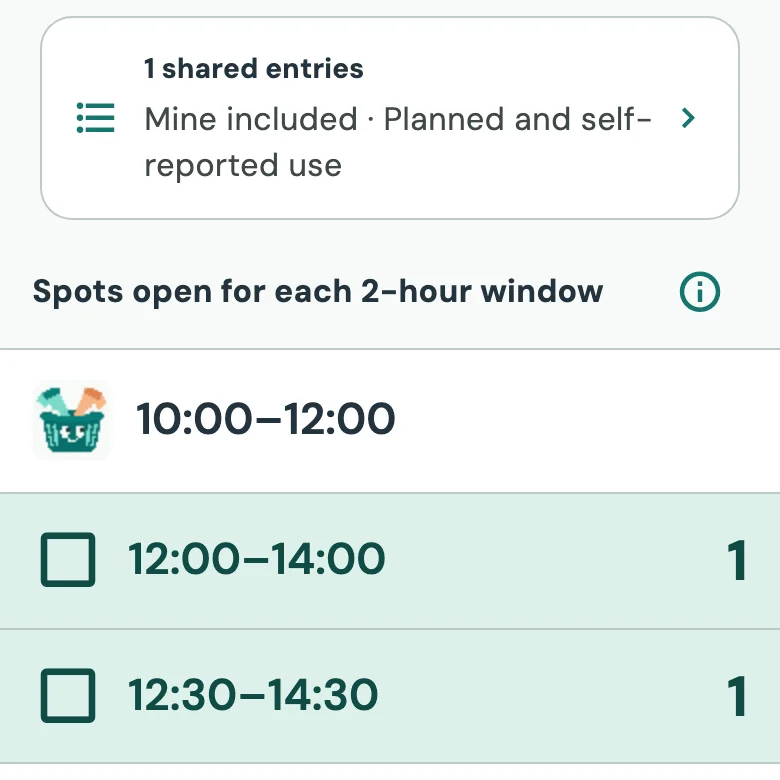
A plan is a courtesy notice, not guaranteed access. Wash O’clock does not monitor the machines, and your building’s laundry-room rules still apply. An empty window cannot tell you whether a neighbour who does not use the app is already washing. What it can do is make participating neighbours’ intentions easier to see.
A laundry app should be easy to join
That matters because a shared schedule only becomes useful when the people sharing the room can participate.
Recent reporting offers a reminder that adding an app also adds decisions for residents. In an October 20 report for The Muse, Travis Wiseman described Memorial University residences’ switch from laundry payment cards to WASH-Connect. The report covered useful additions, including timers and machine reports, alongside residents’ concerns about account requirements and a wallet reload fee. Those are findings about that university’s payment-system rollout, not about Wash O’clock.
For Wash O’clock, getting neighbours into the schedule does not require everyone to install the same app. A building link or QR code can open the browser experience. To share a plan, you choose a laundry name and a preset avatar; email is optional. Someone who prefers an iPhone app, someone on Android and someone opening a browser can all contribute to the building’s schedule.
The app is free to use at launch. Any charges for operating your building’s washers and dryers remain separate; Wash O’clock does not collect those payments.
The plan is only the beginning
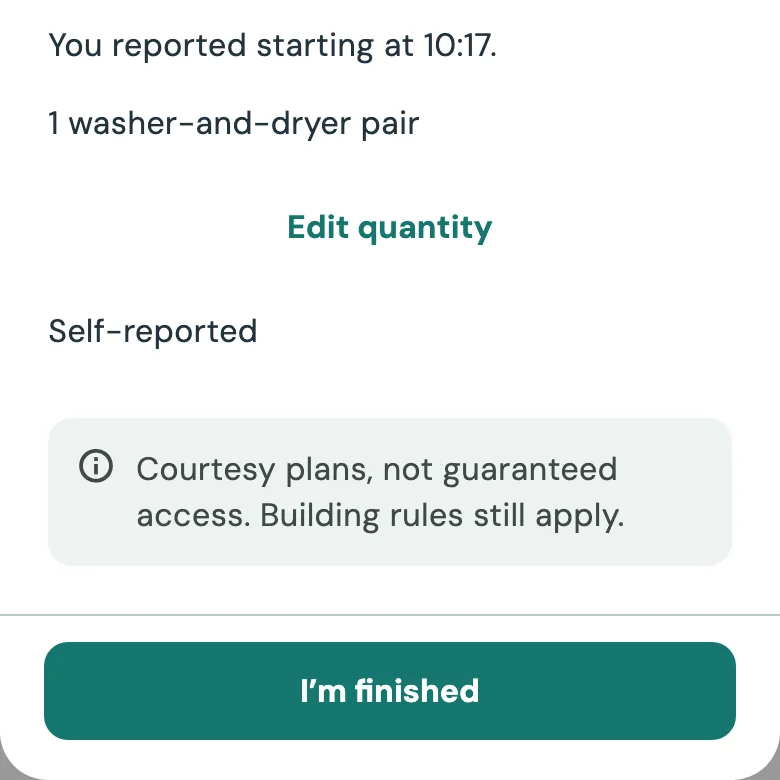
Keeping the schedule useful also means updating it. When you actually begin, you can report “Using it now.” When you are done, choose “I’m finished.” These are residents’ own reports, so returning to update them matters just as much as making the original plan.
If you want to introduce it to your building, start with a small, practical invitation: “Here’s where we can share when we’re planning to wash.” Find your building, or add it if it is missing and confirm the washer and dryer counts. Share its link with neighbours, or use the invitation tools to get a QR flyer and display it where permitted.
You still need detergent, a free machine and the usual consideration for the next person. But before deciding whether laundry fits into tonight, you can have a plan to look at.
Open Wash O’clock to find your building’s schedule in the browser, or get the app for iOS or Android. Start with your next load—and give your neighbours a little notice.